 Muskadia
Your travel and everyday spending, in two taps.
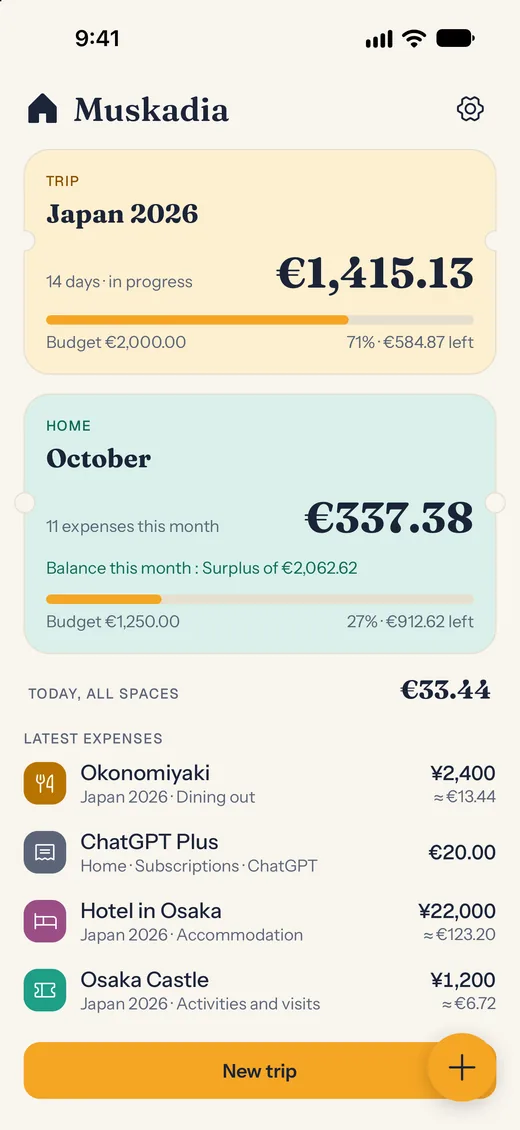
Muskadia logs your expenses in the local currency, totals them in yours and shows where you stand on your budget, on the road and at home. On iPhone, no account, no ads.
Formerly Vithey: same app, new name.
Three situations
What it changes on a trip.
You're in Japan
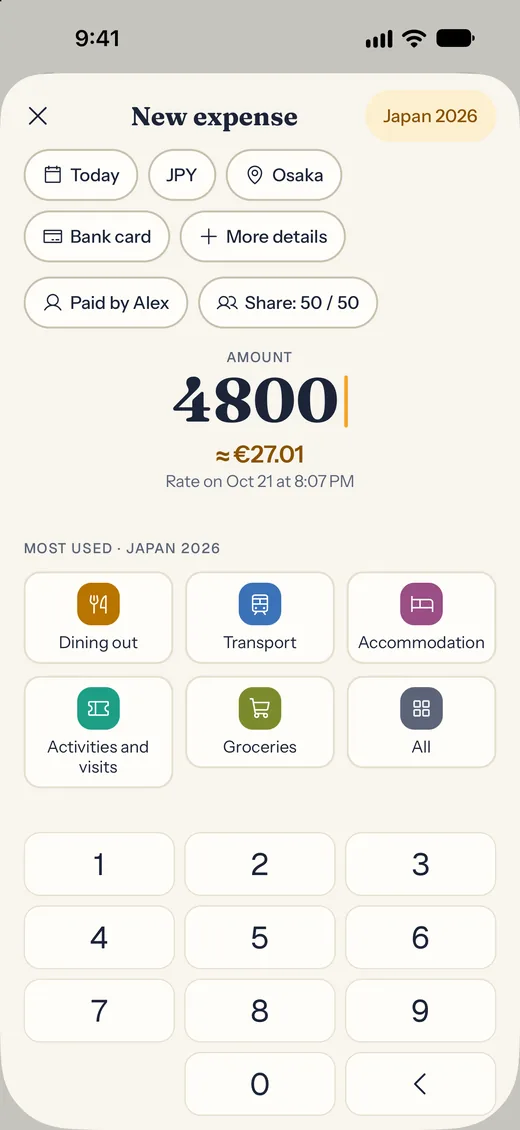
Type ¥4,800 and the euro equivalent shows up right away, at the day's rate. With no network, the expense is saved and converted as soon as the connection is back.
You're travelling together
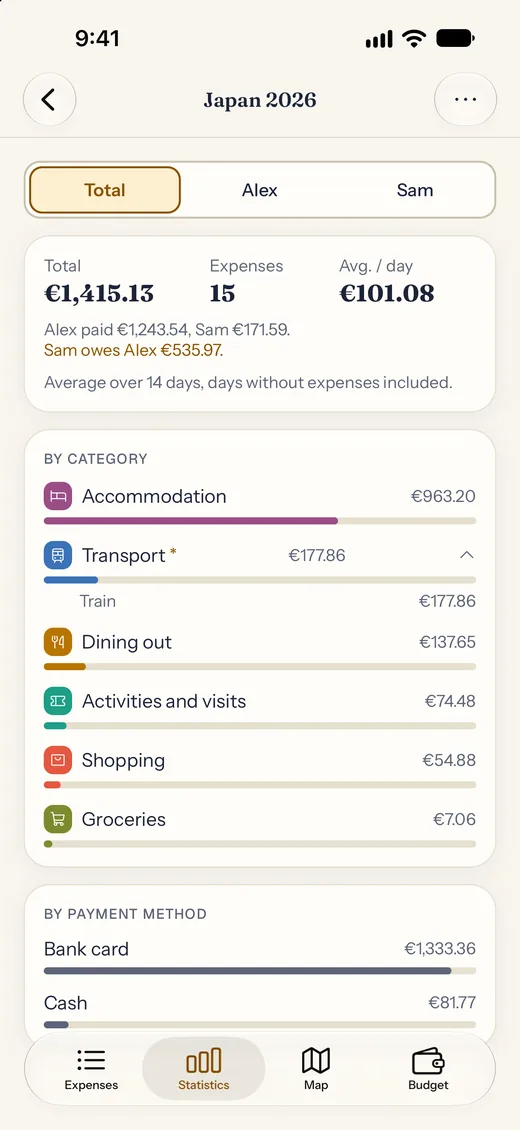
Take turns paying. Muskadia keeps track of who paid what, and works out who owes whom.
You have a budget to stick to
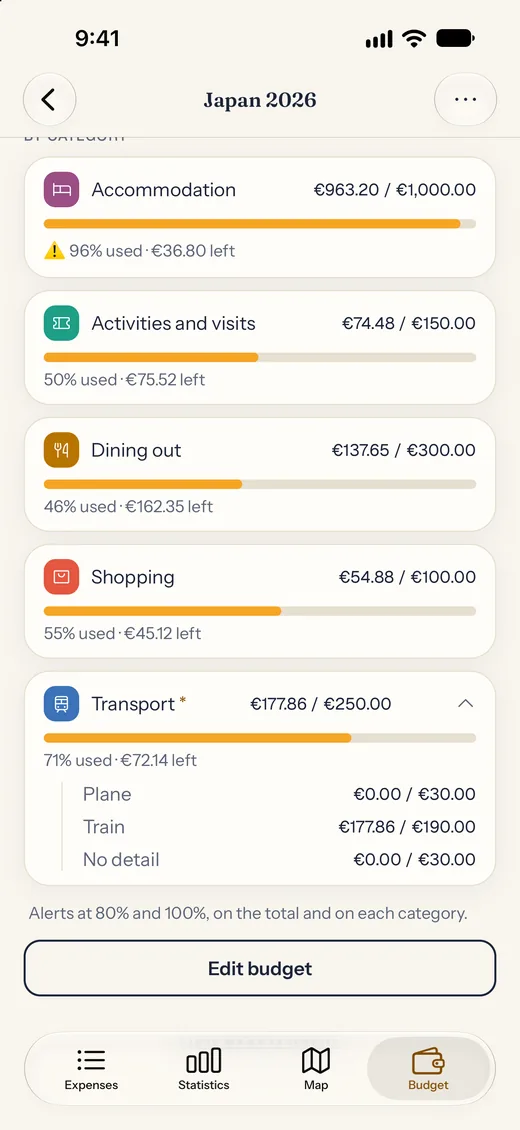
Set a budget for the trip and for each category: you see planned versus spent, and an alert at 80% and 100%.
Quick entry
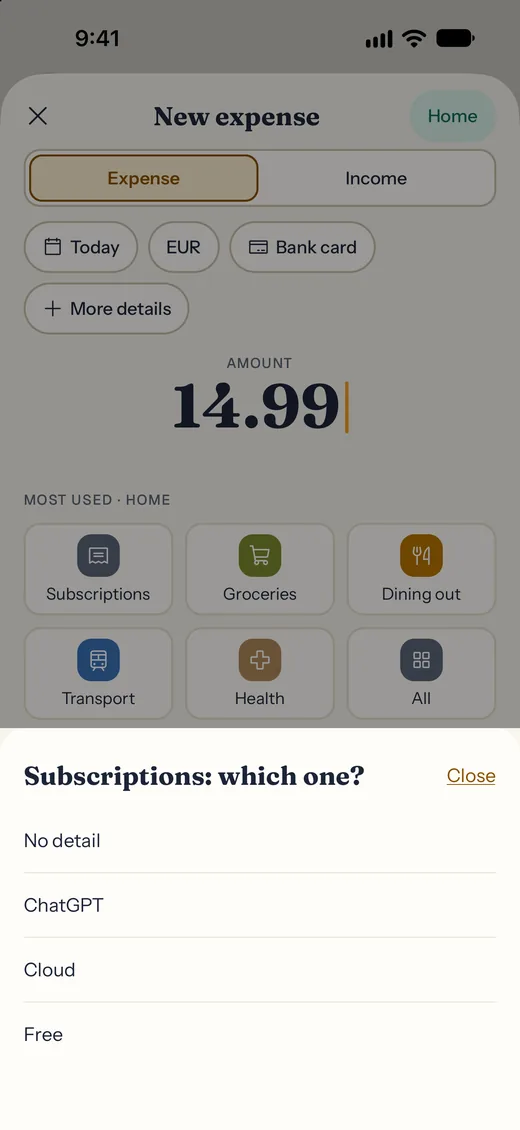
An amount, a category: done.
Type the amount in the local currency and watch the conversion appear live. Pick a category and the expense is saved, with an Undo message in case you slip.
- Every currency, at the day's rate.
- Offline, the expense is saved and converted as soon as the network is back.
- An expense can span several days: a hotel night, a rental.
- Photograph a receipt: it stays in the app, never in your photo library.
Map and places
Your trip, as you lived it.
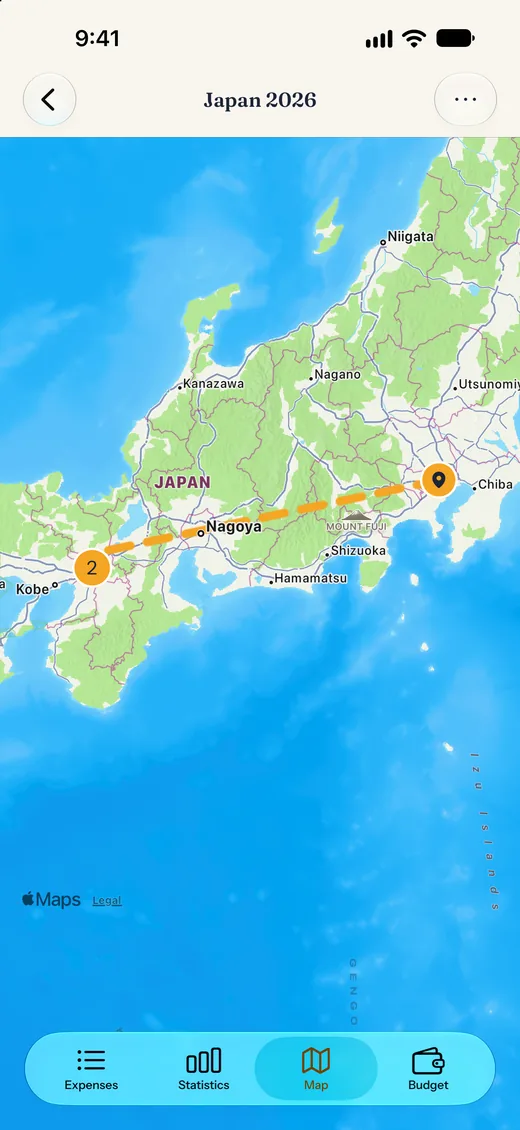
With your permission, Muskadia can geolocate your expenses. You get the most accurate map of your trip: not only where you spent money, but also a sense of your route and all the places you visited.
- Add a place to each expense: your position, a recent place, or a typed name.
- Nearby expenses are grouped by place, and the trip route links the stops.
- Your position is only read when you ask for it. If you decline, just type the place name.
Everything you need
Travel with peace of mind, and keep the everyday budget on track.
Travelling as two
Say who paid and each person's share: Muskadia tells you who owes whom, no spreadsheet needed.
A budget by category
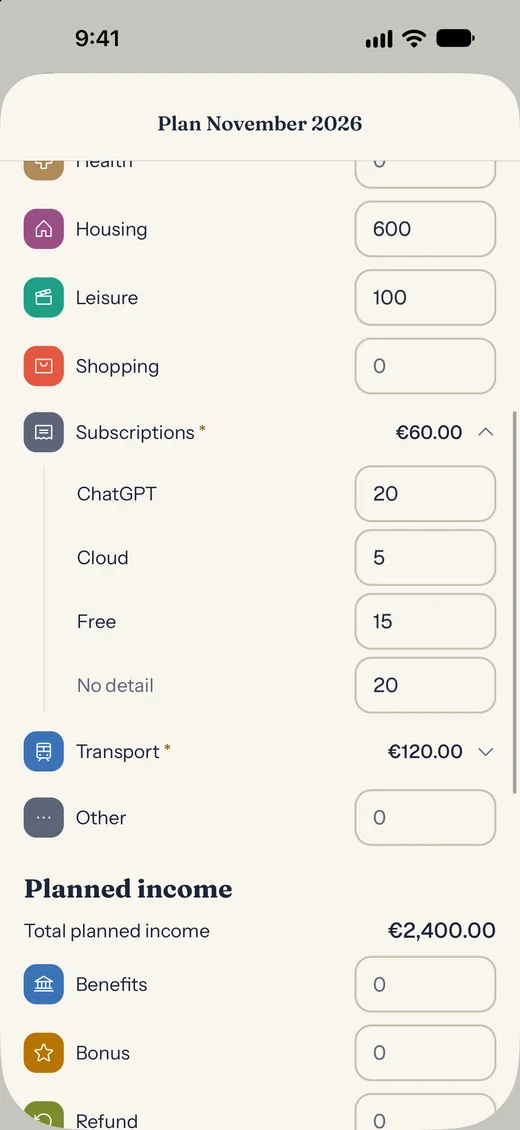
A budget for the trip and for each category, with an alert at 80% and 100%. Break a category into subcategories, for example Subscriptions: Free, Cloud, ChatGPT.
The Home
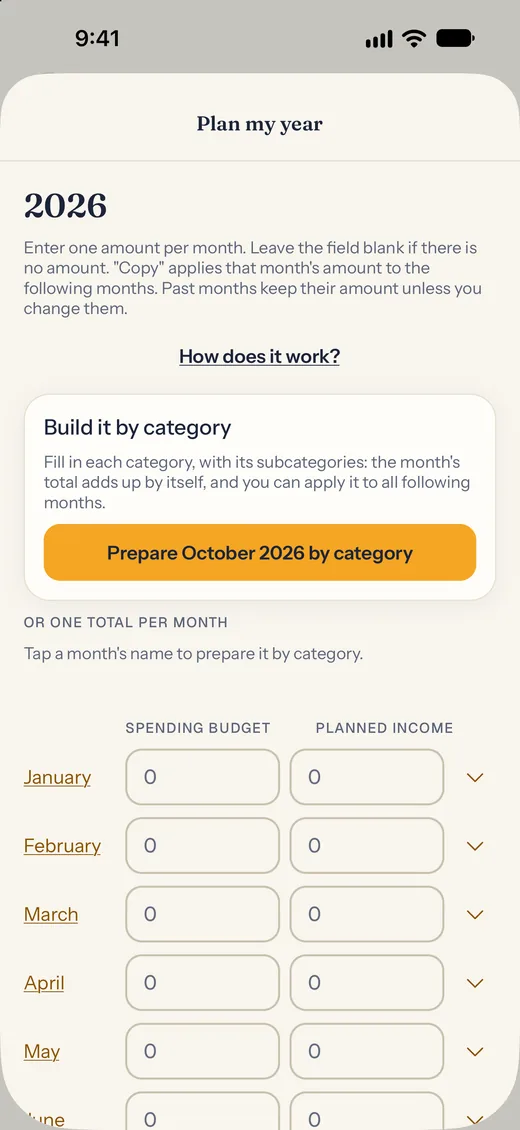
Everyday life too: monthly budget, income, balance, and a year view built category by category.
Map and places
With your permission, geolocate your expenses: the map shows where you spent, and the route of your trip.
Statistics
Total, average per day, breakdown by category, by person and by payment method.
Six languages
French, English, Italian, Spanish, Portuguese (Brazil) and German, with dark mode and large text sizes.
Privacy
Your expenses belong to you. Period.
- No account to create, no ads, no tracking.
- Your expenses, receipt photos and settings stay on your phone.
- Face ID, Touch ID or passcode lock.
- Spreadsheet export (CSV) and full backup, restored in one tap.
- Coming from Vithey? Your trips are picked up.
The offer. Your first trip is free, with all its features, and the Home is free. To open more trips: a one-time purchase, no subscription. The price is the one shown on the App Store.
Frequently asked questions
What people often ask.
What is Muskadia?
An iPhone app to log travel expenses in the local currency and track the everyday budget, in a space called the Home. It was called Vithey until 22 October 2026.
Do I need an account?
No. There is no account and no server receiving your expenses: everything is stored on your iPhone.
Does it work offline?
Yes. Without a network, the expense is saved and converted as soon as the connection returns.
Can we split expenses as a couple?
Yes. For each expense you say who paid and each person's share, and Muskadia works out who owes whom.
Does Muskadia use my location?
Only with your permission, and only when you ask for it on an expense. It places the expense on the map and draws your trip's route. If you decline, just type the place name: the app stays fully usable.
Is my data sent anywhere?
Your expenses stay on your phone. The app only downloads a list of exchange rates, without sending any of your data. There are no ads and no tracking tools.
Is it free?
Your first trip is free with all its features, and the Home is free. To open more trips, there is a one-time purchase, no subscription. The price is the one shown on the App Store.
Which languages?
French, English, Italian, Spanish, Portuguese (Brazil) and German.
I used Vithey: do I keep my trips?
Yes. Vithey became Muskadia: it is the same app, and your trips are carried over.
How do I get my data out?
In Settings, export produces a spreadsheet (CSV) and the full backup can be restored in one tap.
Is there a widget?
Yes, since version 2.3: the “Quick add” widget opens the entry screen in one tap, from the Home Screen (small and medium) or the Lock Screen. It neither reads nor sends any of your data.